(How we work)All articles
How Farbound was made
We built a geography quiz for iPhone on a Windows PC. Here is what broke, what Apple wanted to know, and how you get a game of your own on the App Store.
- 1,786questions, every one written for the game
- 29stops on all seven continents
- 9kinds of question
- 2languages, English and Swedish
- 0network requests, ads or accounts
The game
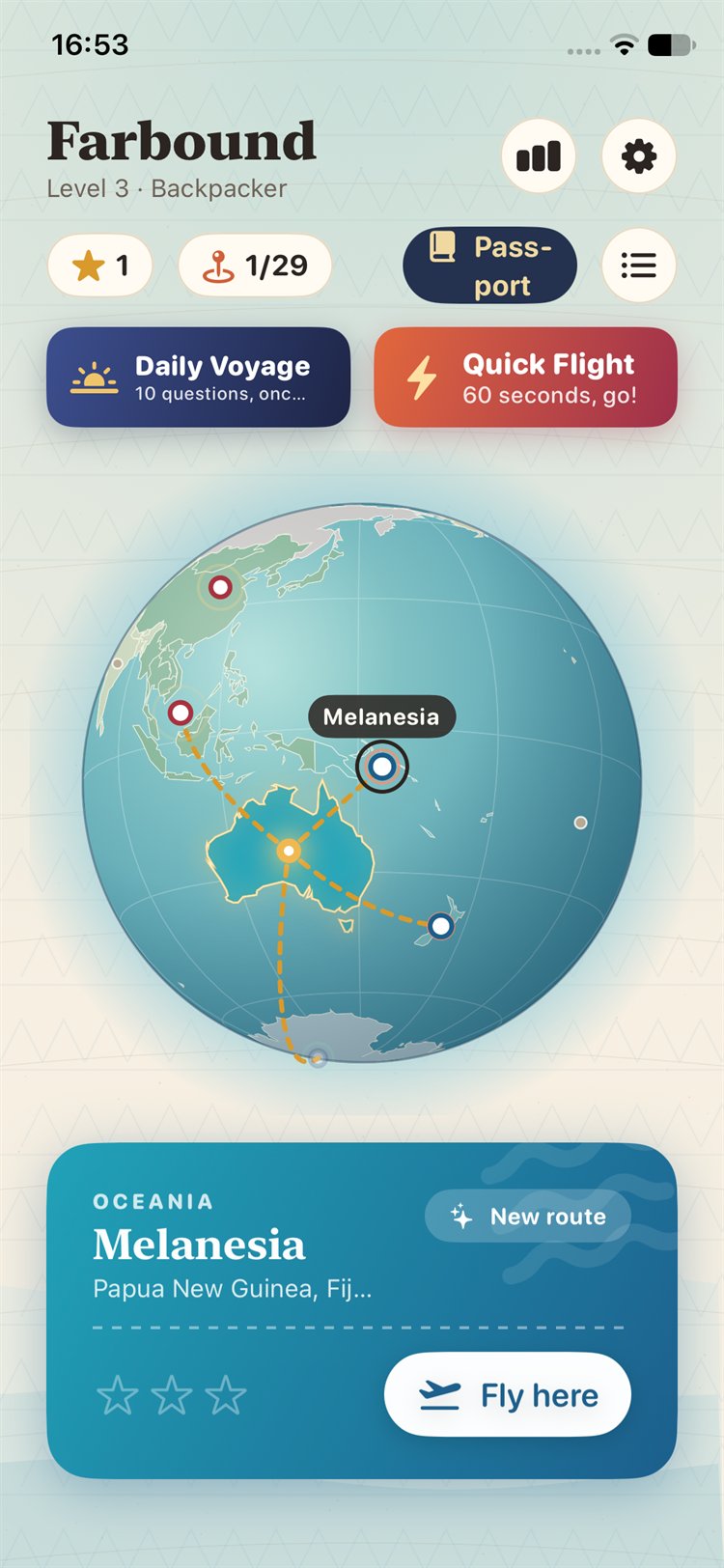
Farbound is a travel journal you fill in by answering questions. You spin a hand-drawn globe, tap a destination and fly there for seven questions about the place. Get five right and the stop is cleared, which opens the routes to its neighbours. It is the cheapest way to travel we know of, and nobody loses your luggage.
Version 1.0 has 1,786 questions across 29 stops on all seven continents, in English and Swedish. Yes, Antarctica too. It has 31 questions, which is a lot for a place where so little happens.
It is a one-time paid download with no ads, no in-app purchases and no account. The game never touches the network. We would love to tell you what players do in it, but we have no idea, and that is the point.
How it is built
Farbound is a SwiftUI app for iOS 17 and later, just under 8,000 lines of Swift, with no third-party code. We work the way the front page says: AI did much of the heavy lifting, and we made the decisions, played the test builds on a phone and complained until things felt right.
The odd part is how little of the game exists as files. Almost everything you see and hear is made by code:
The globe is drawn from scratch every frame: ocean, land, lighting, routes and pins. The country outlines come from Natural Earth, which is public domain, squeezed by a script into one 47 KB file. The whole world, smaller than most photos of lunch.
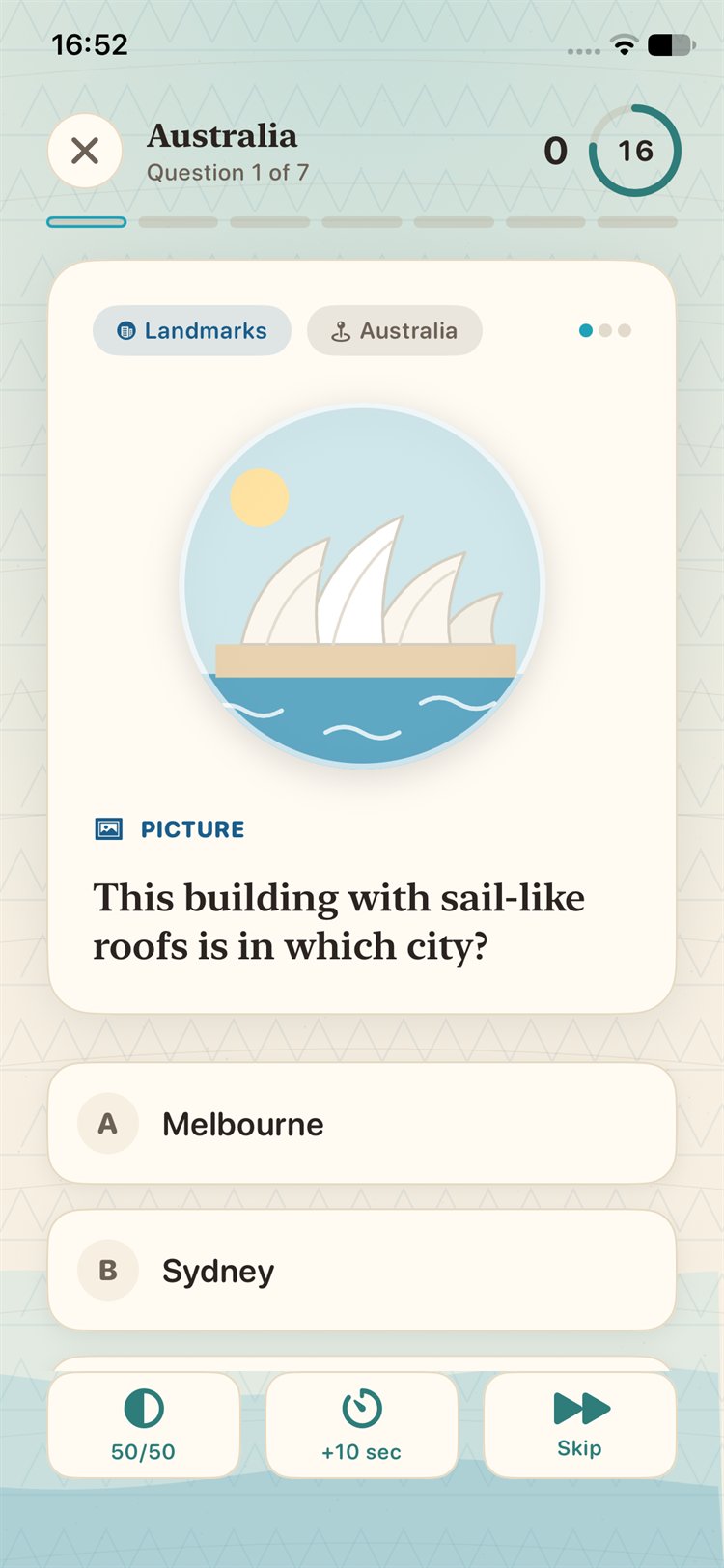
The art is data. The 64 flags and the 21 illustrations of landmarks, dishes and animals are stored as JSON and drawn by the app.
The sound is synthesised when the app starts: the chimes, the stamp thump, the fanfare and the music. There is not a single audio file in the app.
The icon is drawn by a Python script that takes about 20 seconds to run. We have waited longer for design tools to open.
The whole world, smaller than most photos of lunch.
The questions are JSON too, written in English and Swedish side by side. A validator runs before every build and checks that each Swedish question matches its English twin: same answer position, same flags, same map coordinates. It is strict and humourless, which is what you want from the one checking 1,786 questions in two languages.
An iPhone game from Windows
Apple would like you to buy a Mac before you make an iPhone game. We built Farbound on a Windows PC anyway, with xtool running in WSL (Ubuntu inside Windows) and Sideloadly to put the result on a phone. It works well, once you have stepped on every rake in the garden:
- Swift's package manager is slow on the Windows drive as seen from Linux, and then it crashes. The build script now copies the whole project into the Linux home folder first.
- A build script saved with Windows line endings failed with
set: pipefail: invalid option name. If you ever see that message, it is not about pipefail. It is an invisible character at the end of the line. Everything is on LF endings now. - Linux cannot compile Apple's asset catalogs or String Catalogs, so translations are plain old
Localizable.stringsfiles. - A free Apple ID may register 10 App IDs in 7 days. Sideloadly's error 9120 means you have had enough fun for this week.
- Renaming the game changed its bundle ID, so iOS treated it as a brand new app. Our test progress stayed behind with the old name.
The build the App Store accepts
Then came the catch. The file xtool makes is fine for our own phones, but App Store Connect will not take it: it lacks the SDK and Xcode keys the upload checks, its icon is not in a compiled asset catalog, and it has nowhere to put the privacy manifest.
Every day
- A Windows PC
xtoolin WSL- Sideloadly
- A phone on the desk
For the App Store
- GitHub Actions
- Xcode on a GitHub cloud Mac
- TestFlight
- App Review
So the release builds are made by Xcode after all, on a Mac that GitHub rents out by the minute. One workflow builds, signs and uploads to TestFlight from the same source code. That Mac lives in a data centre somewhere, and we have never seen it. Two things we wish we had known:
- You can sign without a device. A development profile wants a registered iPhone. Instead, the archive is built unsigned and the App Store export does the signing, with a certificate Xcode manages through an App Store Connect API key. The key needs the Admin role, and no certificate has to be exported or stored anywhere.
- Mac minutes are expensive minutes. They count ten times against GitHub's free allowance for private repositories, and a run takes 10 to 15 of them.
The App Store screenshots come from a second workflow. It starts the game in a simulator in a special screenshot mode, opens each scene on an iPhone and an iPad in both languages, and a script adds the captions. No screenshot is taken by hand.
What broke
Nearly all of these were found by playing the game on a phone, usually when we only meant to check one small thing.
- Lima, Lima, Lima. A player got “What is the capital of Peru?” twice in different wording, and then “Lima is the capital of which country?”, all in one round. Good news for Lima. About 12% of journey rounds repeated a capital like that. A round now asks about each country's capital once.
- When in doubt, tap True. Of the 102 true or false questions, 95 were true. You could clear them with your eyes closed. We rewrote 46 as false statements, so it is now 52 false and 50 true.
- Frankreich. Country names followed the phone's language and not the app's, so an English Farbound on a German phone asked about Frankreich. Names now follow the app.
- Japan, Canada. When a stop ran short of questions, the round borrowed from anywhere, which is how a question about Japan turned up at “Canada & Arctic”. Rounds now borrow from neighbours on the same continent first.
- The frozen list. In ordering questions you drag four cards into place. If iOS cancelled the drag, the code that ends it never ran: one card stayed floating and the list froze. The lift now resets on its own, and a second finger cannot steal the drag.
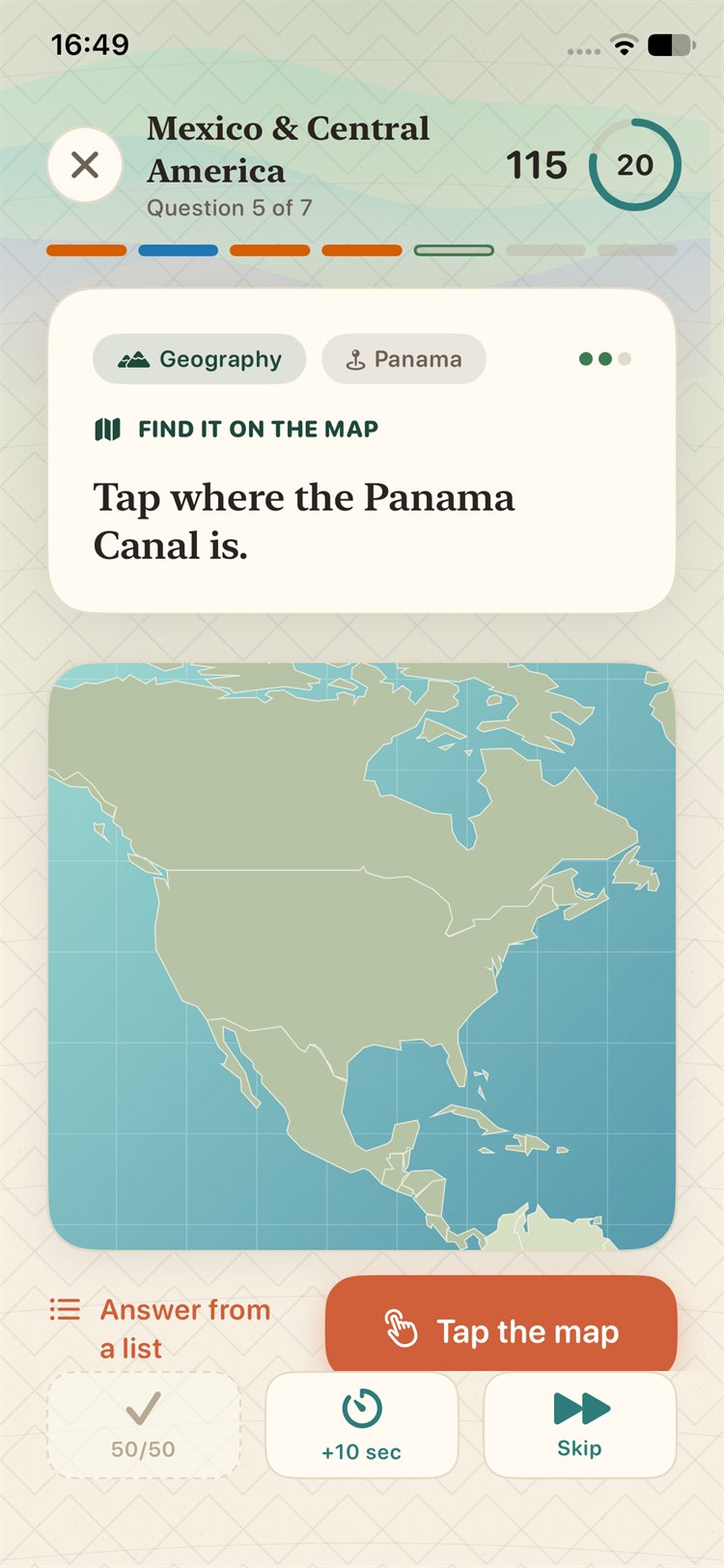
- The edge of the world. Tapping a country failed across the antimeridian, where longitude jumps from 180° to −180°. Maps have an edge after all. Small islands were also close to impossible to hit, so a tap within 60 km of the coast now counts.
- The clock that never slept. Lock the phone in the middle of a question and the timer ran out in your pocket. It now pauses when the app leaves the screen.
- Seasick music. The first music loop used vibrato and a detuned chorus, which was meant to sound warm and sounded like a wobble. It was replaced by a written 16-bar piece that stays in tune.
Of 102 true or false questions, 95 were true.
App Review
The first build went up on 30 October 2026, and version 1.0 was submitted for review the day after, as build 10. It was approved and is on the App Store. The review itself was the short part. The long part was everything that had to be true before we pressed Submit.
- 24 OctoberWanderwise is renamed Farbound.
- 30 OctoberThe first build, number 8, reaches TestFlight.
- 31 OctoberBuilds 9 and 10, then version 1.0 goes to review.
- ApprovedVersion 1.0 is on the App Store.
- 8 NovemberThe first update, 1.0.1, goes to review.
The name was taken, twice
The game was first called Wanderwise. That name was taken on both app stores, so it became Farbound. “Farbound” alone then turned out to be taken on the App Store too, by a space science app. The store name is now “Farbound: Geography Quiz”, and the home screen still just says Farbound. We also searched the EU, Swedish and US trademark registers, which is as exciting as it sounds.
Thirteen questions about drinks
Apple's age rating questionnaire gave our friendly geography quiz a 13+. The reason: questions that mentioned alcohol. Whisky, champagne, Oktoberfest. It turns out a surprising share of world culture is drinks.
We replaced the 13 questions with others about the same places, and the rating became 4+. One answer of “Infrequent” in the form was all it took.
A statue with an owner
Two picture questions showed Christ the Redeemer in Rio. The Archdiocese of Rio claims rights over commercial use of the statue's image, and we did not want our first legal letter to come from a church. The illustration is now Sugarloaf Mountain with its cable car. Mountains, as far as we know, have no lawyers.
App Store Connect does ask whether you have the rights to your content. The honest answer has to be yes: here the maps are public domain and everything else was made for the game.
Mountains, as far as we know, have no lawyers.
Maps are political
Farbound is sold everywhere except mainland China, India and South Korea. Paid games in mainland China need a government licence number, and the game shows Taiwan as its own stop. India is strict about how maps draw its borders. In South Korea a game needs a rating number first. A geography quiz is a product with borders in it, and it shows.
Privacy, declared three times
The game collects nothing, and we had to say so in three places that agree with each other: the privacy manifest inside the app, the privacy label in App Store Connect (“Data Not Collected”) and the privacy policy on this site. Even then, the manifest must declare a reason for the one sensitive API the game uses, which is saving your settings.
Notes for the reviewer
We wrote the review notes for someone with two minutes and forty other apps in the queue: no sign-in, no network, no purchases; tap a white pin, then “Fly here”, and answer seven questions. We also had a walkthrough video cut and ready in case Apple asked for one.
The preview video
Apple's guideline 2.3.4 says an app preview may show only screen captures of the app, with text overlays and narration. Ours puts untouched footage in a frame with captions around it. Whether that counts is up to App Review, so a plain cut sat ready as plan B.
Version 1.0.1 was submitted on 8 November. It adds a button to share your Daily Voyage result, and gives Lima a rest.
Tips and tricks
What we would tell ourselves a few weeks ago.
- Start the paperwork first. Enrolling a company needs a D-U-N-S number, and getting one can take one to two weeks. Bureaucracy does not have a fast-forward button, so start it while you build.
- Check the name before you fall in love with it. Search the App Store and the trademark registers before you draw a logo. Ask us how we know.
- Some choices are for ever. The bundle ID cannot change once the app is on the store. Nor can the primary language of the app record: ours ended up as English (U.S.) when we meant English (U.K.), so the colour of our mistakes is officially spelled “color”.
- Read the age rating questions before you write the content. It is cheaper to skip the whisky than to replace it.
- Check who owns what you draw. Landmarks can have owners.
- Keep one file with everything you type into App Store Connect. Name, subtitle, keywords, description, review notes, age rating answers. The next version starts from it, and so does your memory.
- Do not repeat words in the keywords. The name and subtitle are searched together with them, and you only get 100 characters.
- Script the screenshots. The size App Store Connect asked for was not the one we had planned for. Fixing it was one number and a rerun.
- Give a phone number that gets answered. App Review wants a person, not only a support address.
- Raise the build number on every upload. Each one needs a higher number than the last. Farbound 1.0 is build 10, which tells you how the first nine went.
- Choose manual release. Then approval does not pick your launch day for you.
From nothing to the App Store
The steps we took, in order. Yours will differ in the details, and Apple rearranges the forms now and then to keep us alert.
- Enrol in the Apple Developer Program. As a company you need a D-U-N-S number, an email address on the company's own domain, and a legal name and address that match the official registers exactly. It costs about USD 99 a year.
- Sign the agreements. A paid app needs the Paid Apps agreement, a bank account and tax forms. In the EU you also verify your trader details, which the App Store then shows on your page.
- Create the app record in App Store Connect: name, bundle ID, SKU and primary language. This reserves the name. Read the tip about choices that are for ever first.
- Make a release build with Xcode. It needs a version and build number, an icon in an asset catalog and a privacy manifest. Upload it, and it shows up in TestFlight once Apple has processed it, usually in 10 to 30 minutes.
- Test the TestFlight build on a real iPhone, and on an iPad if the game runs there.
- Fill in the product page: subtitle, description, keywords, support and privacy policy addresses, screenshots for iPhone and iPad, categories, price and regions.
- Answer the questionnaires: age rating, privacy label, content rights and export compliance.
- Write the App Review information: a contact person, whether sign-in is needed, and notes on how to try the game.
- Choose the build and submit for review. Then make coffee.
- Release it, and keep going. Every update goes through the same review with a new build number and a “What's New” text.
None of the steps is hard. There are just many of them, and most are easier to do before the game is finished than after. If you get stuck on one, say hello. We have probably stepped on that rake.